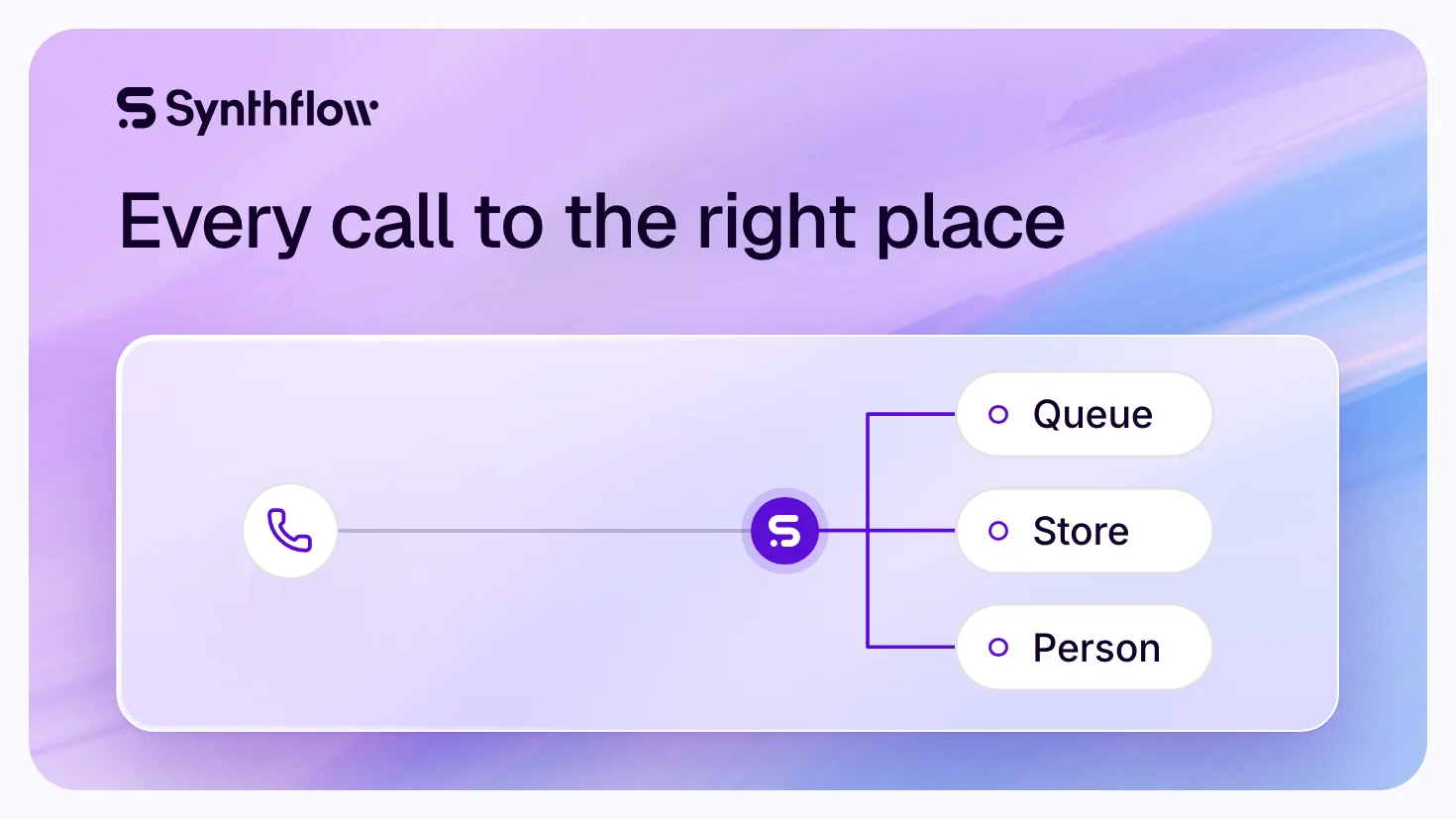

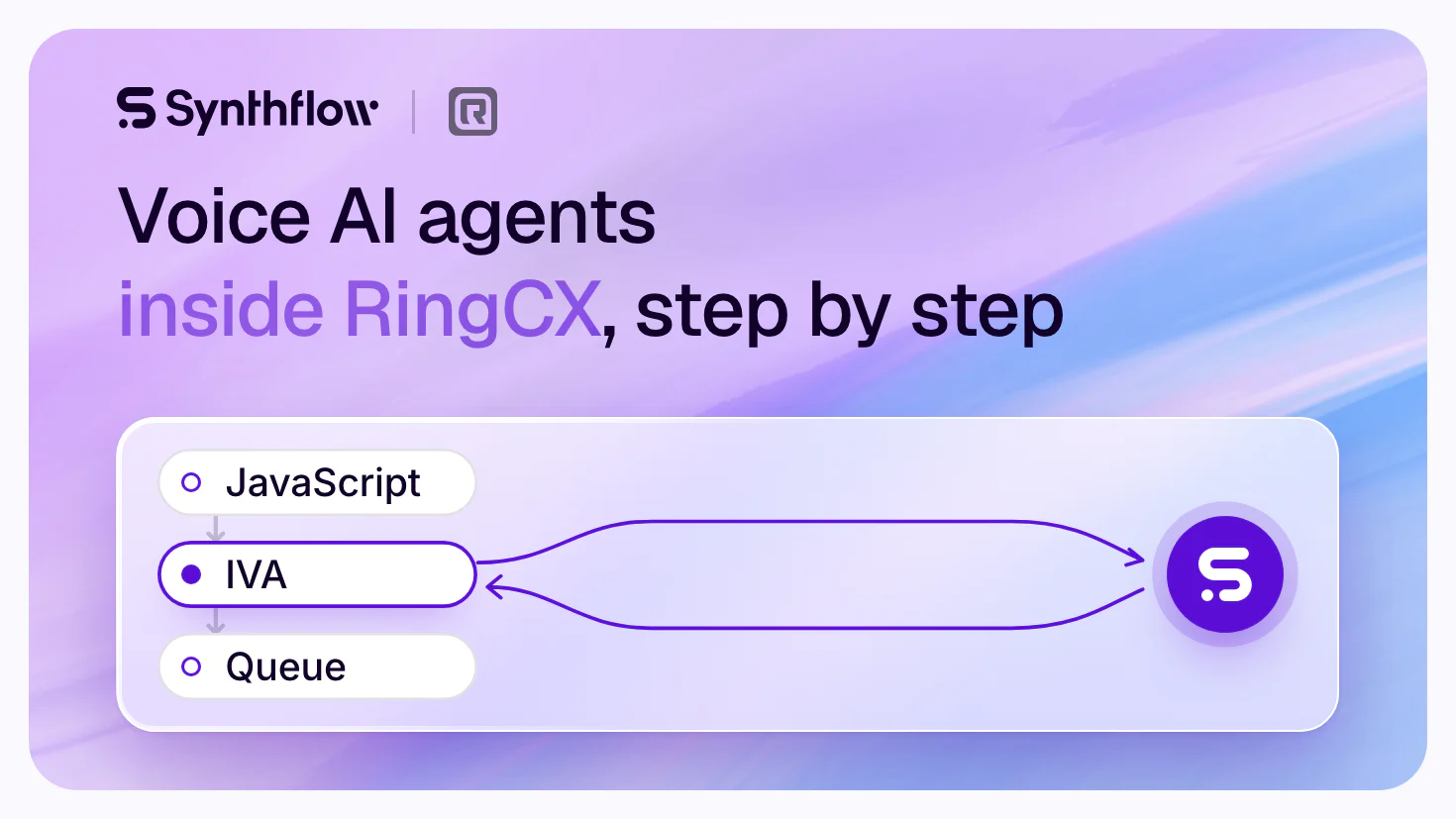
Voice AI agents integrate with RingCentral in two ways: as an Intelligent Virtual Agent (IVA) that a RingCX workflow sends calls to over SIP, or on RingEX, by forwarding the number to the agent's own number. Synthflow's agents take the RingCX route natively, a Tier 1 integration; Synthflow handles 1M+ calls daily for 100+ enterprise customers at 99.99% uptime.
RingCX is RingCentral's contact center and RingEX its business phone system. Synthflow's voice AI agents work inside RingCX for contact centers, BPOs and multi-location brands, on the route RingCentral built for outside agents: its own guide calls the SIP-based IVA integration "a unified, vendor-neutral configuration" for RingCX queues (RingCentral support). This guide gives each way to connect, the RingCX setup in Workflow Studio field by field with both JavaScript nodes, the payload your workflow routes on, and a go-live checklist. Talk to sales to put a Synthflow agent on your RingCX queues.
Why RingCentral contact centers choose Synthflow
Synthflow is an enterprise AI agent platform for customer conversations. Partners, analysts, reviewers and the press say this of it:
| Proof | In their words | Source |
|---|---|---|
| Accredited by Five9 | "an accredited third-party AI provider" for Five9's AI Agent Connect, one of 11 providers its guides cover | Five9 documentation |
| Live in 700+ stores | Batteries Plus runs Synthflow's agent "for both Zoom Contact Center and Zoom Phone"; "Synthflow AI says its agents have already resolved 22,000 calls independently" | Chain Store Age |
| Named by Freshworks | "Freshcaller integrates with Voice AI platforms such as Synthflow and Squawkvoice" | Freshworks documentation |
| Listed with RingCentral | "named integrations for systems such as Five9, Zoom, and RingCentral" | Futurepedia |
| Pioneering in CMP's Prism | One of only two Pioneering providers for Voicebot/Conversational IVR, of 27 vendors evaluated | CMP Research report |
| 4.5 out of 5 on G2 | From 1,000+ reviews | G2 |
Batteries Plus took five weeks from kick-off to pilot: "From kick-off to pilot, the roll-out with Synthflow and Zoom was just five weeks," says Kranthi Malreddy, its Chief Information Officer (the Batteries Plus story). Edison, the agent at its stores, "answers store calls in both English and Spanish" (PYMNTS). Inside Freshcaller, Freshdesk and Freshservice, the Freshworks integration lets businesses "automate up to 65% of routine voice requests" (the Freshworks story).
Synthflow serves upper mid-market and enterprise contact centers, BPOs and multi-location brands (Synthflow facts). On RingCentral it connects to RingCX natively as an IVA, which Synthflow's documentation marks "Actively tested and supported": "Tier 1 providers have a native integration that Synthflow engineering tests and supports. They are the lowest-risk starting point" (telephony integrations). It runs its own session border controllers and media infrastructure, and its Trust Center lists SOC 2 Type 2, ISO/IEC 27001, GDPR and PCI DSS v4.0.1. With launch support, Synthflow's forward-deployed engineers build and test the agent with your RingCX admin and take it live.
Four ways to connect a voice AI agent to RingCentral
RingCentral sells a contact center (RingCX) and a business phone system (RingEX), and an outside agent reaches each a different way. Each route's facts are as RingCentral's and Synthflow's own pages state them.
| Route | RingCentral product | How calls reach the agent | Who routes the call after | Source |
|---|---|---|---|---|
| RingCX IVA integration (Synthflow) | RingCX | An IVA node in Workflow Studio sends voice queue calls over SIP, with the caller's context | Your RingCX workflow, from the IVA node's Success exit | RingCentral, Synthflow |
| RingEX number forwarded to the agent | RingEX | The number forwards over the phone network to the agent's own number | The agent, by a transfer to your team's number or SIP address | Synthflow |
| RingCentral AI Receptionist (AIR) | RingEX add-on or standalone plan | "Built directly into the RingCentral business phone system" | AIR routes callers to people "based on names and context" | RingCentral |
| Apps in RingCentral's App Gallery | RingEX (Phone) or RingCX (RingCX Voice) | As each app's listing describes | As each app's listing describes | App Gallery |
For a contact center, the RingCX route keeps queues, skills and reports in RingCX: the workflow picks which calls reach the agent and gets every call back with what the agent learned. Synthflow's documentation recommends it for RingCentral contact centers (RingCentral in Synthflow's docs). How the two compare for a contact center: Synthflow vs RingCentral AI Receptionist.
The RingCX setup, step by step
From Synthflow's RingCX guide and RingCentral's IVA guide. Before you start, have three things ready: RingCX admin rights, an agent deployed in your Synthflow workspace, and the RingCX workflow channel number it will answer.
1. Import the workflow channel number
In Synthflow, open Phone Numbers > New Phone Number > Import a Custom Number. Set Phone Provider to RingCX, enter the workflow channel number and a friendly name such as RingCX, and select Import. Synthflow sets the SIP domain to sip.ringcentral.com and fills in the Origination URI, the address RingCX will call: on a Global workspace, sip:sip.synthflow.ai:32681. Then assign the number to the agent under Deploy in the agent editor.
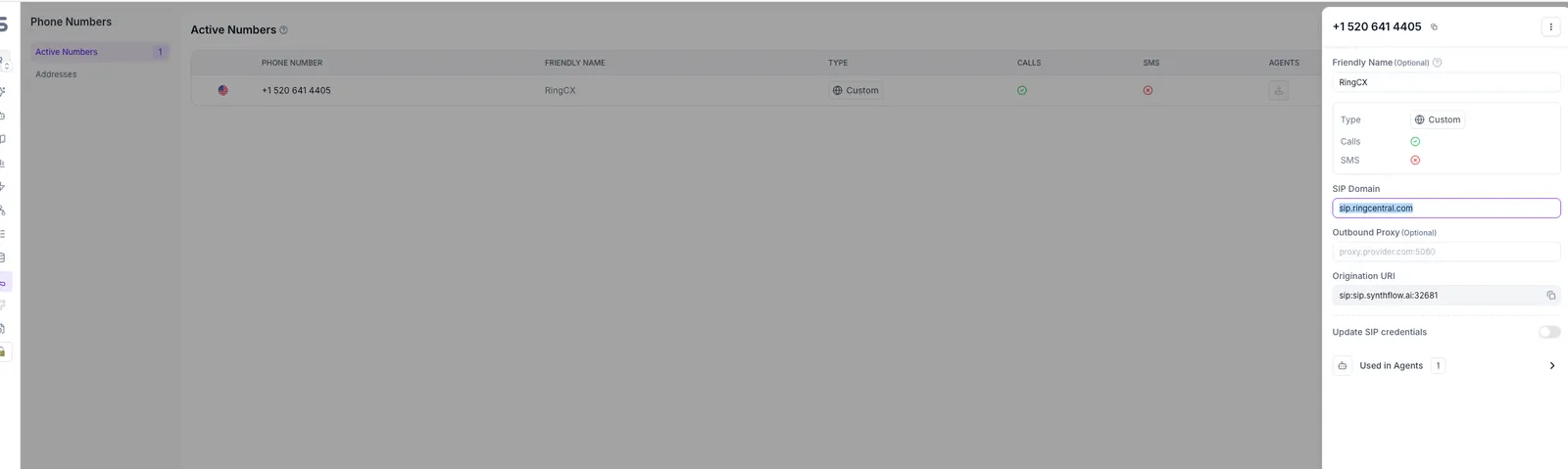
Importing many numbers at once runs through Synthflow's API, which sets the SIP domain of each RingCX number for you (changelog, 5 August 2026).
2. Create the IVA integration in RingCX
In RingCX, select the Admin tile, then AI Tools > IVA Integrations > New Integration:
| Field | Value |
|---|---|
| Name | Synthflow.Ai |
| SIP URI | sip:<workflow_number>@sip.synthflow.ai:32681 |
| Transport | UDP |
Put the number you imported in place of <workflow_number>, in E.164 format, such as +15206414405. On a US or EU workspace, use your region's SIP address as the host: the one the number's Origination URI shows. Select Active, then Save. The number in front of the @ is how Synthflow knows which agent answers.
3. Pass the caller's context
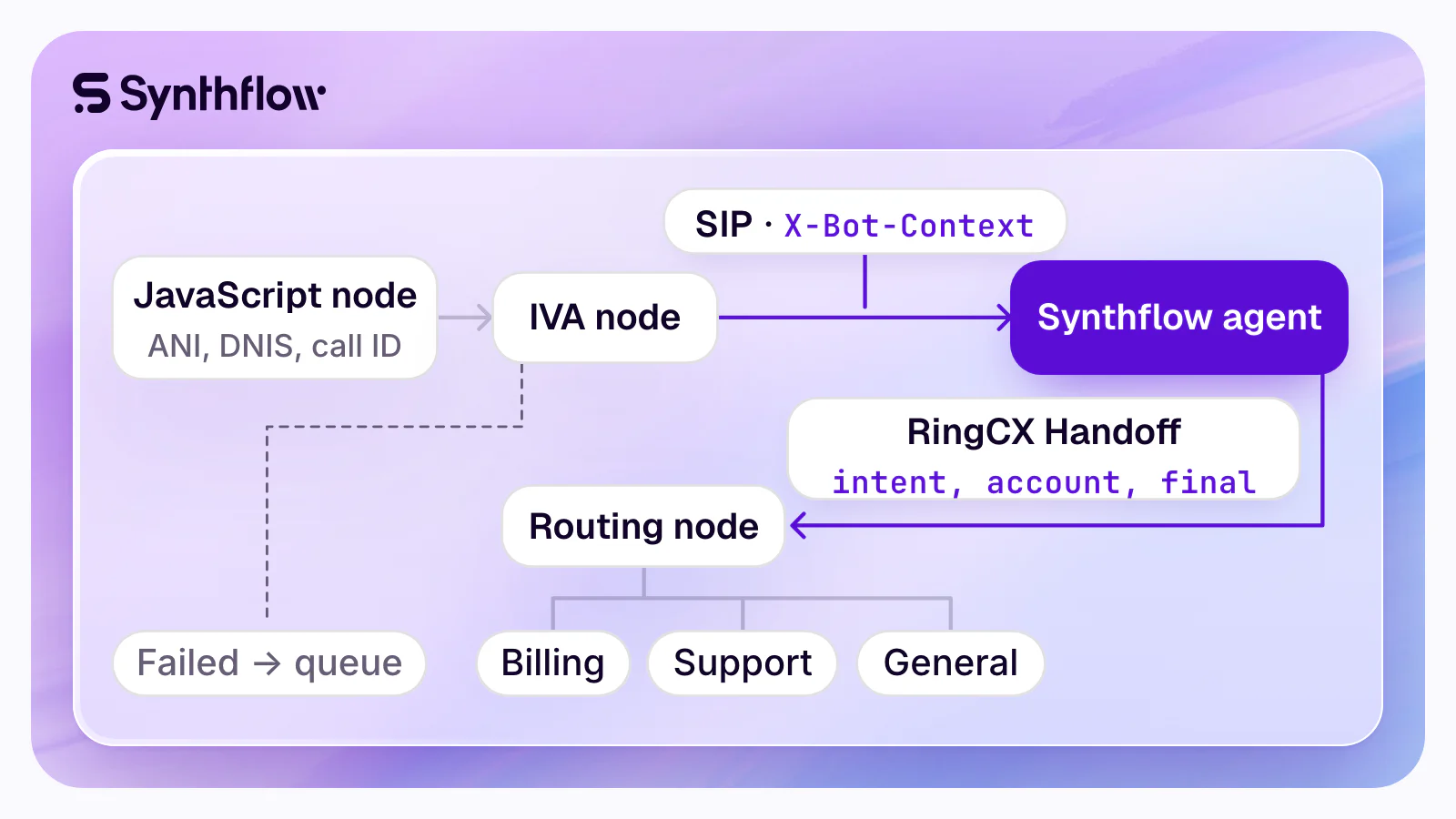
Under Categorization > Workflows, open your workflow, then Workflow Studio. Drag a JavaScript node onto the canvas and add this script from Synthflow's guide. It builds sessionData from the caller's ANI, the DNIS they dialed and the call's ID, and RingCX sends it to Synthflow in the X-Bot-Context SIP header:
var ani = ivr.getAni();
var dnis = ivr.getDnis();
var uii = ivr.getUii();

sessionData = {
  visibleData: {
    ani: ani,
    dnis: dnis,
    callID: uii
  }
};

ivr.debug("sessionData to IVA: " + JSON.stringify(sessionData));
Assign sessionData without var: a var declaration makes a local copy, and the data never reaches the IVA node. Any key you add to visibleData, such as an account ID found earlier in the workflow, reaches the agent too, as {X-Bot-Context.accountId}.
4. Add the IVA node
Drag the IVA node in after the JavaScript node, select Edit, pick your Synthflow integration and set the Context Filter to visibleData. Connect the JavaScript node to the IVA node; when RingCX asks for a Connection ID, enter success.
The agent now reads {X-Bot-Context.ani}, {X-Bot-Context.dnis} and {X-Bot-Context.callID} in its greeting, its prompt and the address or body of a custom action. The prompt in Synthflow's guide:
The caller's phone number is {X-Bot-Context.ani}.
The number they dialed is {X-Bot-Context.dnis}.
Reference call ID {X-Bot-Context.callID} when looking up their account.
5. Add the RingCX Handoff action
In Synthflow, open the agent, then Actions > Add Action > RingCX Handoff. In Condition Description, tell the agent when to hand the call back, for example "When the customer says goodbye" or "When the caller asks for a person". Under Payload, add a field for each value the workflow needs, and a final field set to true. When the action fires, the IVA session ends and the call goes on from the IVA node's Success connection, carrying the payload.
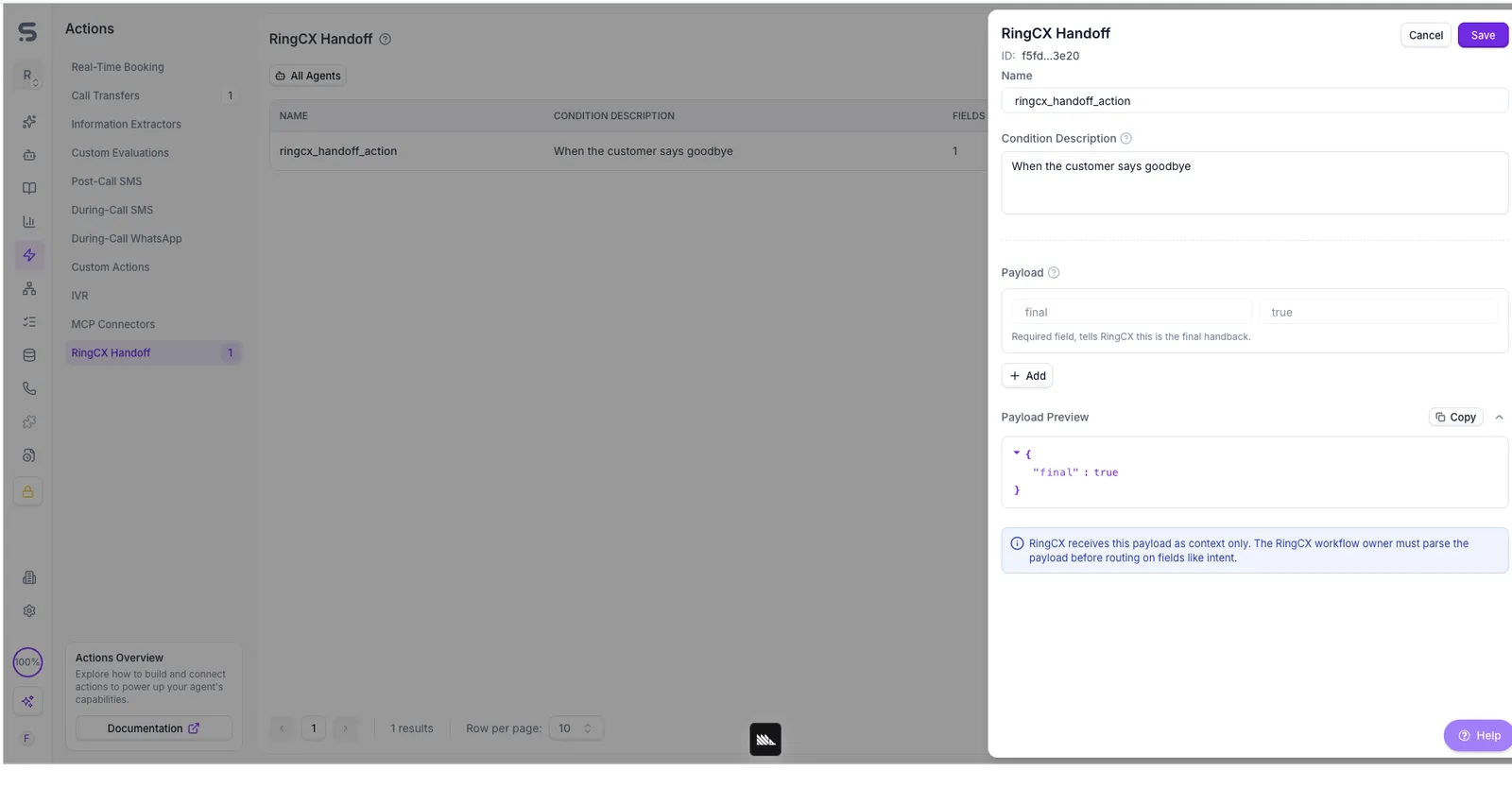
6. Route on the payload
RingCX takes the payload as context, so a second JavaScript node after the IVA node reads it and picks the next connection, in the pattern of RingCentral's developer guide:
// After the IVA node: route on the fields the Synthflow agent returned
ivr.debug("IVA response: " + JSON.stringify(sessionData));

if (sessionData.intent == "billing") {
  ivr.setConnection("billing");
} else if (sessionData.intent == "support") {
  ivr.setConnection("support");
} else {
  ivr.setConnection("general");
}
Wire each connection ID (billing, support, general) from this node to its queue, skill or transfer node. The payload this script reads:
| Field | Example value | What the workflow does with it |
|---|---|---|
intent | billing | Picks the queue, as in the script |
account | 4410-2231 | Reads it in the same node for the next step |
summary | Asked why the October bill doubled | Keeps what the caller asked with the call |
reason | Caller asked for a person | Tells why the agent handed back |
final | true | Marks the handoff complete, as RingCentral's guide expects |
7. Wire the other exits
When an IVA session fails, RingCX takes the IVA node's Failed exit with the caller still on the line: wire it to a queue. When the caller hangs up, the node takes Disconnected and the workflow ends there.
8. Test, then go live
Call the queue's number from a phone whose number you know. With the example prompt, the agent knows that number from its first turn; when it hands back, the call should return on Success and land in the queue the script picked. Synthflow keeps the test call's recording and transcript in the agent's call history, like any other call. Then widen the workflow to the queues you scoped; with launch support, Synthflow's forward-deployed engineers run these tests with your RingCX admin and take the agent live.
If a test call goes wrong
| What you see | Why | Fix |
|---|---|---|
| Synthflow rejects the call | The SIP URI holds no number in front of the @ | Put the workflow channel number there, in E.164 format |
| The agent knows nothing about the caller | No JavaScript node before the IVA node, or sessionData declared with var | Add the node before the IVA node and assign sessionData without var |
{X-Bot-Context.ani} stays empty while other context arrives | With no Context Filter, or one that matches no key, the keys arrive as {X-Bot-Context.visibleData.ani} | Set the IVA node's Context Filter to visibleData |
The workflow doesn't route on intent | No JavaScript node reads the payload | Add the routing node of step 6 after the IVA node |
The RingEX route
On RingEX, Synthflow's docs recommend forwarding the RingEX number over the public phone network to a Synthflow number, or to a number in your own Twilio account (RingCentral in Synthflow's docs):
- In Synthflow, buy a number under Phone Numbers or bring your Twilio number, and assign it to the agent (phone numbers).
- In RingEX, forward the number's calls to it with the number's call handling rules, for every call or only after hours.
- On the agent, add a call transfer to your team's numbers or a SIP address: cold, warm with a short message, or warm with an AI-made summary of the call.
Callers keep dialing the RingEX number, and the agent answers on Synthflow's own telephony. RingEX calls can also run through the RingCX integration, or straight to Synthflow over SIP; Synthflow's team helps you pick the path.
RingCX go-live checklist
Questions about voice AI agents on RingCentral
How do I add an AI voice agent to RingCentral?
On RingCX, create an IVA integration under Admin > AI Tools with the agent's SIP URI, then place an IVA node in your Workflow Studio workflow, with a JavaScript node before it for the caller's context. Synthflow's voice AI agents take calls this way natively, a Tier 1 integration tested and supported by Synthflow engineering, and hand each call back to the workflow with the RingCX Handoff action. On RingEX, forward the number to the agent's own number.
Does RingCentral work with third-party AI agents?
Yes. RingCX takes outside agents through its SIP-based IVA integration, which RingCentral's guide calls "a unified, vendor-neutral configuration", and RingCentral's App Gallery lists voice AI apps for its phone system and for RingCX. Synthflow connects through the IVA integration, and its documentation marks RingCX "Actively tested and supported".
Do our phone numbers stay in RingCentral?
Yes. On RingCX, callers dial your numbers as before and the workflow picks which calls reach the IVA node; the workflow channel number you import into Synthflow stays a RingCX number and tells Synthflow which agent answers. On RingEX, the number stays yours and forwards its calls to the agent's number.
Which voice AI agents integrate with RingCentral?
Synthflow's voice AI agents run natively inside RingCentral RingCX, as an IVA in its voice queues, and return every call to the RingCX workflow with the fields the agent gathered. RingCentral's own AI Receptionist (AIR) is built into its business phone system, and Retell AI, ElevenLabs and OpenMic AI connect as their own RingCentral pages describe. How each connects, side by side, is on Synthflow on RingCentral.
How long does a RingCX setup take?
The RingCentral side is one IVA integration and a workflow; most of the time goes into the agent's actions in your systems, testing and your security review. A Synthflow Enterprise deployment "goes live in weeks, depending on its integrations, telephony setup, security review and launch requirements" (Synthflow facts), and Batteries Plus took five weeks from kick-off to pilot on Zoom.
What does the agent know about the caller when it answers?
Whatever the JavaScript node passes: the caller's ANI, the DNIS and the call ID, and any key you add, an account ID for example. Each arrives as a variable for the greeting, the prompt and any action, so a custom action can fetch the caller's record before the agent's first words (passing call context).
Put a Synthflow agent on your RingCX queues
Synthflow's team scopes the first queues with you, and with launch support its forward-deployed engineers build and test the agent beside your RingCX admin. How the integration runs day to day is on Synthflow on RingCentral; replacing a key menu with an agent is on AI IVR; BPOs running client queues start with Synthflow for BPOs and call centers; your security team starts at Synthflow security.
Sources read on 16 November 2026.